
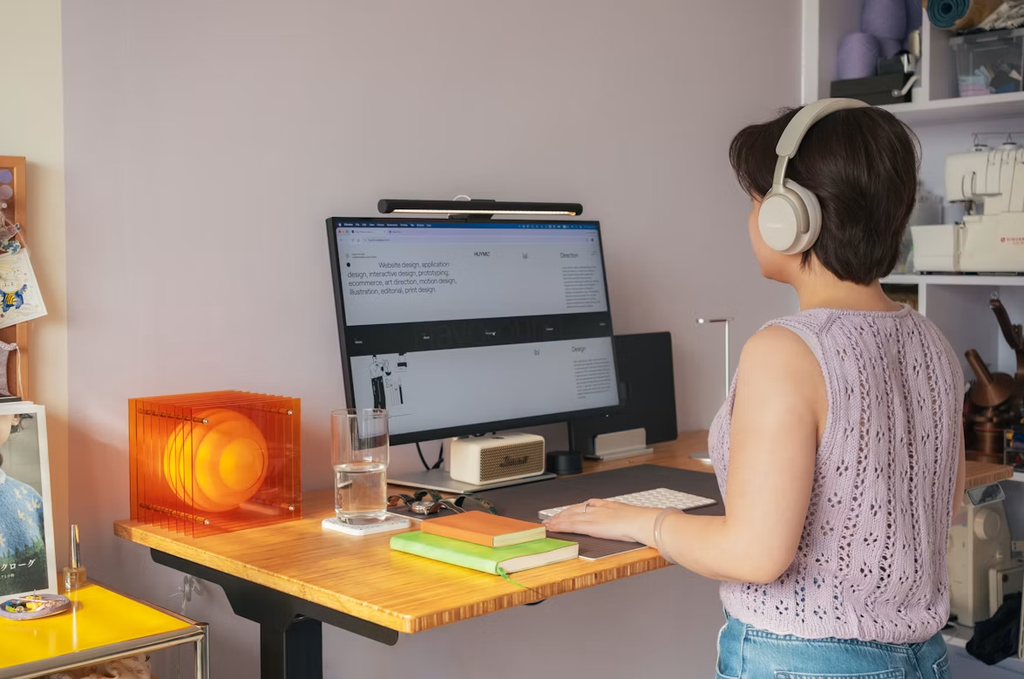
A productive home gives entrepreneurs clear places to focus, organize daily operations, and step away from work when the day ends. Without that structure, business materials can spread across living areas, and small distractions can consume valuable time.
A few practical changes can turn your home into a setting that supports focused work while still feeling comfortable after hours.
Image Credit: Unsplash
Optimizing Your Workspace
When picking your workspace, think about how you actually work, not just where an unused table might fit. A quiet room with a door is great if you’re on calls a lot, while a bright corner might be perfect for independent creative tasks. For an e-commerce entrepreneur, for example, their home office essentials might need a packing surface right next to their computer desk.
Try to have a few different light sources instead of just one overhead light. Keep direct light right where you’re working and use softer lights elsewhere. Good lighting can also really improve the spots where you start your day. Some carefully placed bathroom wall lights in antique brass can give you useful light and make the room look more polished.
Creating Smart Storage Solutions
Give every regular business activity its own storage spot. Current documents might go in one desk drawer, shipping supplies on a labeled shelf, and old records in closed storage outside your office. This all helps create a productive home office. It keeps the things you use daily close by without letting older stuff clutter up your space.
Keeping things tidy with home office organization means separating what you use all the time from what you only need occasionally. Go through your drawers and shelves every three months. Recycle old papers and move equipment you rarely use somewhere else. If you can, use matching containers and label them by what’s inside, not just broad categories. Client invoices is way more helpful than paperwork when you’re looking for something during a call.
Choosing Durable Hardware
Details you touch often need to hold up to daily use. Drawer pulls, cabinet handles, hinges, switches, and outlets might be small, but loose or awkward hardware can quickly get annoying in a busy workspace. Look for solid construction, secure fittings, and finishes that match up with nearby rooms.
Before you replace anything, measure the existing holes and note how thick the door or drawer is. Matching those dimensions can save you from unnecessary drilling. If possible, test out samples, especially for handles you’ll be using dozens of times a day. A comfortable grip is more important than a trendy shape that might snag your clothes or feel sharp. It’s also a good idea to keep one spare pull or hinge from the same collection, as an exact replacement might be harder to find a few years down the road.
Seamless Technology Integration
Technology should make things easier, not fill your room with cables and blinking lights. Put your router in an open, central spot and test the connection at your desk before you arrange your furniture permanently. If video calls often freeze, check the signal during the hours you usually work, instead of just relying on one midday test.
Mount a power strip under your desk and label each cable at both ends. This simple setup makes it easier to unplug a monitor or swap out a charger without having to trace every single wire. Set equipment that updates automatically, like printers and computers, to do so outside of business hours. A charging drawer can also keep phones and accessories handy without cluttering your desktop.
Maintaining Work-Life Balance
Set up physical and digital cues that signal the end of your workday. Close your office door, put your laptop in a drawer, or cover your monitor if your desk is in a shared room. Then, silence work notifications for a set time instead of checking every alert from the couch.
A quick shutdown routine can take less than 10 minutes:
- Write down unfinished tasks on one reliable list
- Clear cups and loose papers from your desk
- Look at your first appointment for the next morning
- Turn off task lighting and work devices
These actions give tomorrow a clear starting point. They also stop open tasks from nagging at you all evening.
Your first improvement doesn’t have to be a full renovation. Pick the one issue that bothers you most often, like bad lighting, clutter, or unreliable internet, and fix that problem this week. It’ll be easier to see the benefit when you change one part of your space at a time.